Changemaker's Mission: My Robot, My Helper
Lav dette projekt med din klasse
Hvad handler dette projekt om?
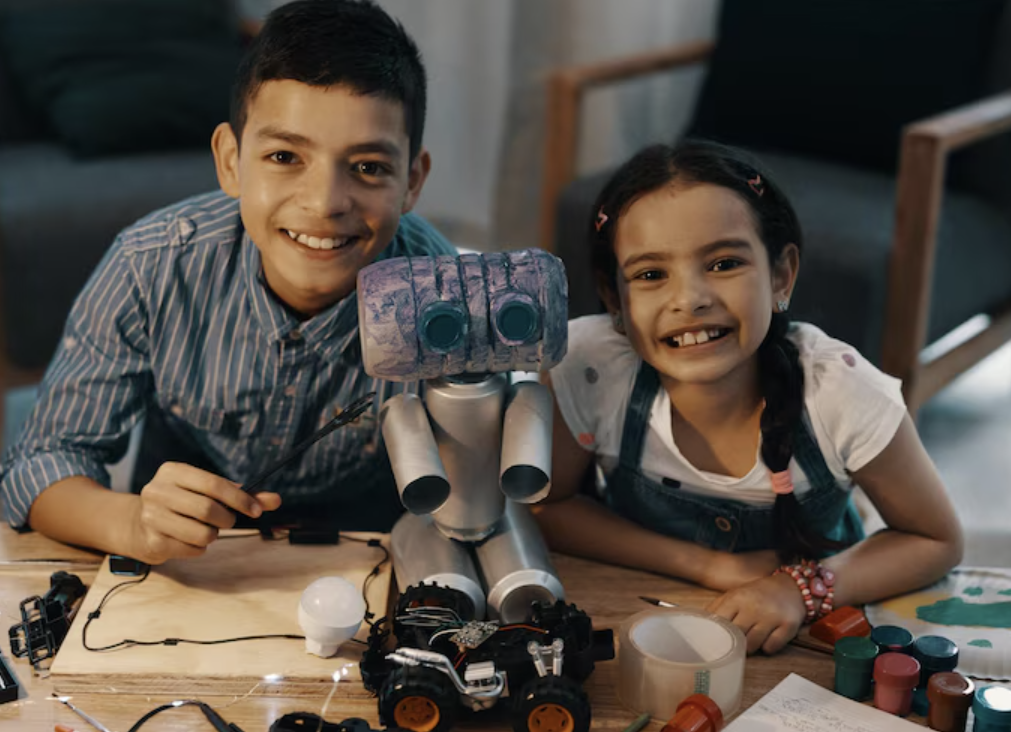
"My Robot, My Helper" invites students to design a robot that solves a real problem in their school or community. They will reflect on everyday challenges, get inspired by global peers, and share their robots—through drawings, digital designs, or models shown in photos or videos—on the Class2Class board. This mission promotes creativity, empathy, and innovation to solve real-life problems.
- Aldersgruppe
- 6-8,9-12,13-15,16-18,18+
- Projektets varighed
- 4 uger
Dette projekt bidrager til følgende globale mål
Læringsmål
By the end of this project, students will:
- Identify challenges in their local environment or school.
- Develop creative solutions using design thinking.
- Create and present a robot prototype (drawn or digital).
- Learn how communities globally tackle everyday issues.
- Strengthen their communication and intercultural collaboration skills.
Vurdere
Kompetencer der udvikles
Interkulturel kommunikation
Kritisk tænkning & problemløsning
Global bevidsthed
Digital dannelse
Samarbejde & teamwork
Tilpasningsevne & ledelse
Kreativitet & innovation
Emotionel intelligens
Projektaktiviteter
Projekttidslinje
1
Uge 1
Presentation
1. What do teachers need to do?
- Register your class participation by clicking on "Request to join." Once registered, start working with your class.
- Guide your students through the 3 steps.
- Help students upload their work to the board (if necessary).
- Make sure they complete and share Activity 2.
- Encourage interaction by commenting on other students' posts.
- Important note: Once you register your class, you can start the next steps at your own pace. The project is designed so you won’t need a video call with Class2Class.org, making it easy and straightforward. We’re here to support you along the way!
2. Key Dates
To help your class stay on track, we recommend the following timeline:
- Activity 1: “Imagine the Problem”
- Activity 2 (Mandatory): “Meet My Robot”
- Activity 3: “Final Reflection”
- Deadline to post work: June 30
- Project review: July 1–4
- Certificates available from: July 7
3. What will your class receive?
- A downloadable certificate of participation from the platform (if requirements are met)
- A social media mention from Class2Class.org and our newsletter.
4. Important participation rules
- Must post at least one activity to the board
- Activity 2 is mandatory
- Registered classes that do not participate will be removed from the project list.
5. Project Steps
Step 1: Beginning – “Imagine the Problem”
- Activity 1: Invite your students to reflect on the following question:
- “What challenge would you like to solve in your school or community?”
- Have them work in small groups to brainstorm ideas.
- Then, each class will share their response on the platform board by posting a comment.
- Teacher Tip. Begin the activity with a video or comic about well-known robots. This will help introduce the mission of Class2Class.org and inspire students to engage with the activity.
Step 2: Development – “Let’s Design the Solution”
- Activity 2 (Required): Now it’s time to invent! Students will design a robot that helps solve the problem they identified in Activity 1. The robot can be created in any of the following formats:
- A hand-drawn illustration
- A digital design (e.g., using design tools or apps)
- A physical model, presented through photos or a short video
- Each class will post a short presentation on the Class2Class project board that includes:
- A brief introduction to the problem they want to solve
- A clear image or video of their robot (drawing, digital design, or model)
- A short explanation of how the robot works and how it helps address the problem
- Interaction. After posting, students must explore the board and comment on at least one robot from a partner class. This promotes exchange, curiosity, and global collaboration.
Step 3: Closure – “Robots Around the World”
- Activity3: Ask students to explore the projects shared by their international peers and reflect on the following questions:
- What problems are being addressed in other communities?
- What kinds of robots or helpers did other students imagine?
- Optional Extension. You may organize a brief class discussion or a video call with a partner class to reflect together. This will encourage students to compare the challenges faced by different communities and the creative solutions proposed by each group.
Assessment and reflection
- Use a simple reflection form with the following three questions:
- What did I learn from other students’ robot ideas?
- What inspired me the most during this project?
- How can I continue thinking of creative solutions to real-world problems?
- Teachers can evaluate students based on:
- Participation – Level of engagement throughout the activities.
- Creativity – Originality and imagination in robot design.
- Collaborative Spirit – Willingness to work with others and respond to feedback.
Hvad deltagerne siger
5.0
3 Anmeldelser
C. Danmark
Class2Class .org
Danmark🎉 Congratulations, changemaker teachers! 🎉 Thank you for guiding your students through My Robot, My Helper! Your creativity and dedication made this mission a true success. Together, you’ve helped students think critically, connect globally, and design with purpose. Let’s keep inspiring changemakers around the world!
JR Indien
Jhansi Ravikumar
IndienMN Bangladesh
Md. Nasim Mia
Bangladesh